
Windows 10 64-bit, 8 GB RAM, a GTX 1050-class GPU and 1 GB storage — the full official spec sheet, plus Steam Deck Verified status and GeForce NOW support.
How to Fish System Requirements and Platform Guide
Answer first — the whole spec sheet is five lines: Windows 10 or newer (64-bit), Intel Core i5-5257U / AMD Ryzen 3 1200 or equivalent, 8 GB RAM, GeForce GTX 1050 / AMD RX 460 or equivalent, broadband internet, and 1 GB of free storage. That is the official minimum, and it is also the ceiling of what Steam publishes: the store's Recommended block is empty apart from the 64-bit note, so nothing more demanding is officially documented.
Can your PC run it? Almost certainly yes. The listed CPUs are budget chips from the mid-2010s and the GPU target is a 2016 entry-level card, so any machine that ran a game in the last eight years clears the bar. Storage is the least painful part — the game installs into a single gigabyte. Price is $7.99; the 38% launch discount that briefly made it $4.95 has ended, and no discount is active as of 2026-09-22.
Official Minimum Requirements
Per the official Steam store page:
| Component | Minimum |
|---|---|
| OS | Windows 10 or newer (64-bit required) |
| Processor | Intel Core i5-5257U / AMD Ryzen 3 1200 or equivalent |
| Memory | 8 GB RAM |
| Graphics | GeForce GTX 1050 / AMD RX 460 or equivalent |
| Network | Broadband internet connection |
| Storage | 1 GB available space |
Two things stand out. First, the storage footprint is tiny — one gigabyte — so even crowded drives fit it. Second, the listed CPUs are older budget-class chips; if your machine ran any game from the last five years, How to Fish will run.
What to Aim For in Practice (Not an Official Tier)
Because no recommended configuration exists, here is the honest translation of the minimum into real setups. This table is our guidance from playing the game, not a Dazed Games spec sheet:
| Your plan | Practical target | Why |
|---|---|---|
| Solo fishing and questing | The official minimum as-is | Solo keeps object counts low; this is the lightest workload in the game |
| Eight-player co-op bosses | 16 GB RAM if you can, and any GPU newer than the GTX 1050 | Eight inventories, eight players' explosives and dropped loot stack physics objects fast |
| Streaming to a phone or old laptop | No local specs at all — GeForce NOW runs the game on NVIDIA hardware | Your device only has to decode video; see the platform table below |
| Steam Deck | Verified build, no tweaking required | Compatibility was granted in patch 1.0.11 |
If your machine sits exactly on the minimum line, the one upgrade worth considering is RAM. Windows 10 with a browser open can eat most of 8 GB before How to Fish loads its first island, and an eight-player lobby is where that shows up as stutter rather than low frame rate.
What You Get for Those Specs
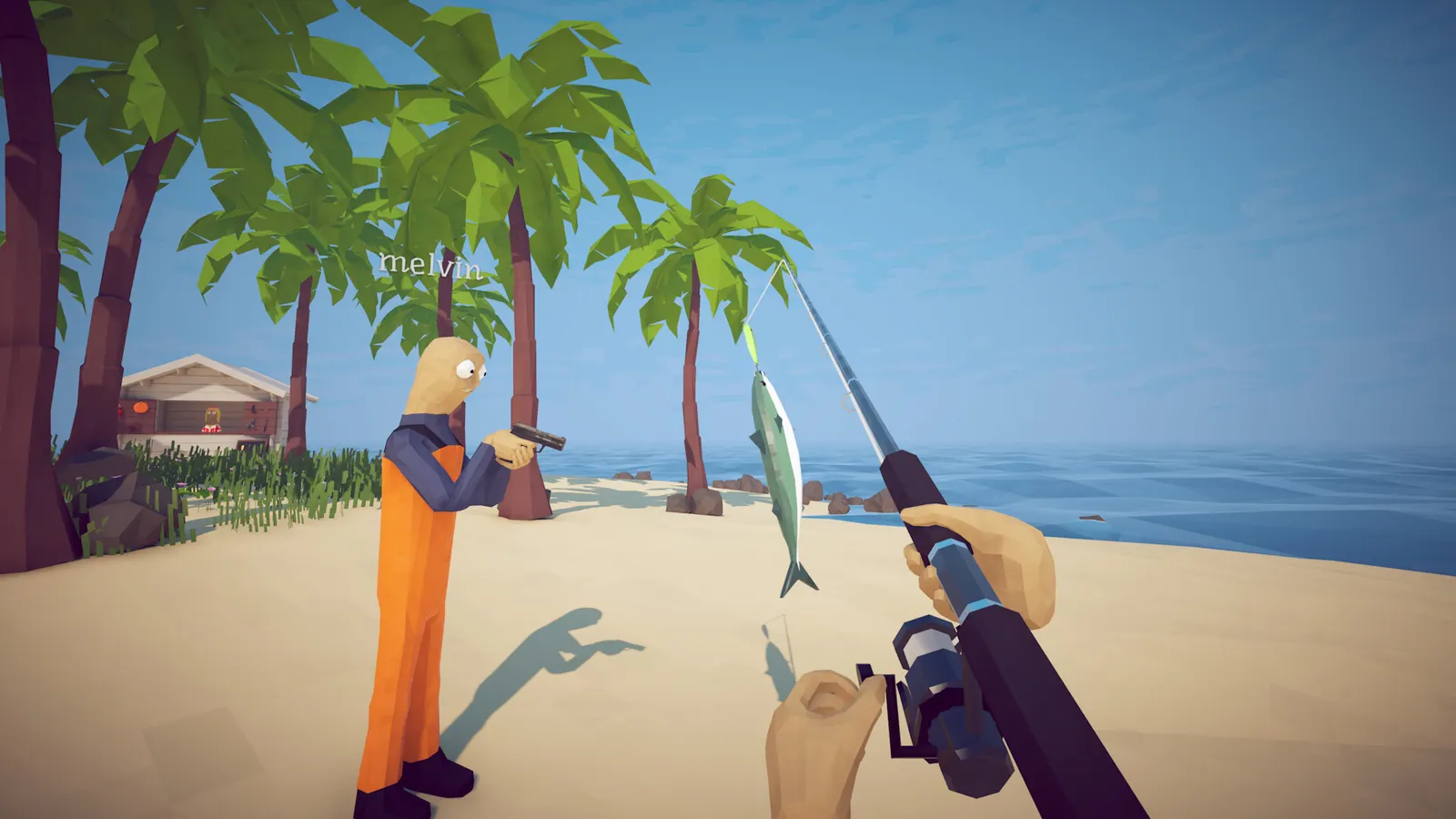
The modest requirements hide a physics-heavy game: every fish has weight, every weapon has recoil that rocks the boat, and eight-player co-op multiplies the object count. The GTX 1050-class GPU target means the game targets stable performance on integrated-graphics-adjacent hardware rather than visual spectacle.
Network requirements exist because co-op is core: broadband covers the online lobby system fine at all player counts.
Platform Availability
| Platform | Status |
|---|---|
| Windows PC (Steam) | ✅ Available — August 20, 2026 launch |
| macOS / Linux | ❌ No official build listed |
| Price | $7.99 list; the 38% launch discount ($4.95) has ended, no discount active on 2026-09-22 |
| Player count | 8-player co-op since patch 1.0.4 (4 at launch) |
| Linux native | Not listed — Steam Deck runs the Windows build, Verified since patch 1.0.11 |
| GeForce NOW | ✅ Supported since 2026-09-01 (patch 1.0.11) — stream the Steam version |
| Steam Cloud | ✅ Save sync since 2026-09-04 (patch 1.0.12) |
| PlayStation / Xbox / Switch | No versions announced |
How to Fish is currently a Steam-exclusive title. There are no console ports announced, which also settles crossplay questions: the entire player base shares one ecosystem, and since 1.0.11 that ecosystem extends to GeForce NOW streams of the same Steam copy.
The practical reading of that table: Windows on Steam is the only native platform, Steam Deck runs it through Proton with a Verified badge, and GeForce NOW lets you play the same Steam license on hardware that could never install it — including Macs, phones and TVs. Our GeForce NOW walkthrough covers the account-linking flow, and the Android and mobile guide covers the phone-specific reality.
Steam Deck Notes
The store listing tags controller support prominently — full Xbox and PlayStation controller families work. Steam Deck compatibility stopped being a guess on 2026-09-01: patch 1.0.11 shipped with the game fully Steam Deck Verified, which is the badge Valve grants when a title boots without tweaks, runs with a default controller layout and keeps its text legible at 1280x800.
Official source: STEAM DECK VERIFIED, GEFORCE NOW & PATCH 1.0.11 — the developer's words are "How to Fish is now fully Steam Deck Verified" and "How to Fish is now playable through Geforce NOW", published 2026-09-01.
Deck Verified does not mean flawless: eight-player lobbies with several players throwing dynamite are the heaviest scene the game can produce, and the Deck is rendering a Windows build through Proton. Expect battery drain closer to a 3D action game than to a puzzle title, and expect the fans to spin during boss fights. Verified means it works out of the box, not that it never drops a frame.
The same patch added control options that matter more on a handheld than on a desktop: toggle aiming, toggle sprinting, hold-to-attack and toggleable nametags. Between those and the Verified badge, Deck users no longer need a community config to play comfortably.
Should You Buy on an Older PC?
A practical checklist for borderline machines:
- CPU from the last ~8 years (quad-core class)? Almost certainly fine
- 8 GB RAM? Exactly meets minimum — close background browsers during eight-player sessions
- GPU older than a GTX 1050? Try it anyway; indie physics games scale down gracefully, and refund windows exist
- Storage under 2 GB free? Clear less space than you would for any AAA release — this fits in a corner
The honest summary: if How to Fish interests you at all, hardware is almost certainly not the obstacle — and neither is the price. The game lists at $7.99 on Steam, per the store's own pricing API, and the 38% launch discount that dropped it to $4.95 ended with the opening window: as of 2026-09-22 the discount percentage reads zero. That is still fast-food money for a game that sold a million copies in two days.
What the Game Is, Technologically
Understanding why the specs are low helps predict performance on odd hardware. How to Fish is a Unity build (Windows x64), with its complexity living in object interactions — fish weight, weapon recoil, boat buoyancy, eight players throwing things — rather than in visual fidelity. Small install, modest GPU demands and a broadband note for lobbies all point to an engine tuned for reach over spectacle. A practical side effect of the Unity-on-Steam setup: Linux desktops and Steam Deck run it through Proton like any other Windows Unity title, which is why Deck sessions with desktop players work through the same ecosystem.
That profile predicts two practical behaviors on borderline machines. First, frame drops under co-op chaos come from object count, not resolution — lowering graphics settings helps less than clearing the beach of corpses occasionally. Second, loading is fast everywhere; the 1 GB footprint means island transitions barely touch disk.
Pre-Purchase Checklist for Borderline Rigs
- Confirm 64-bit Windows 10+ (the game will not run otherwise)
- Check RAM headroom — 8 GB minimum means closing Chrome during eight-player sessions
- Compare your GPU against GTX 1050 / RX 460 class or accept uncertainty
- Verify 1–2 GB free storage
- Steam Deck owners: nothing to research — the game has been Verified since patch 1.0.11
Five checks, two minutes, zero regret purchases.
Cross-Referencing the Community FAQ Data
Community FAQ writeups add two details worth confirming against your own setup:
No macOS build is listed — confirmed by the store's platform data (Windows: yes; Mac and Linux: no). Mac searches for this game keep climbing anyway, so to be explicit: there is no native path and none has been announced. Since 2026-09-01 there is one legitimate workaround, though: GeForce NOW streams the Steam version to macOS browsers and desktop apps, so a Mac can play the game it cannot install. Steam Deck owners are the other exception — Deck runs the Windows build through Proton and holds a Verified badge.
Controller support is broad. The store tags cover full Xbox and PlayStation controller families — relevant for couch setups and Steam Deck handheld play alike, where the physics-fishing control scheme benefits from real sticks over keyboard precision.
Both points trace back to the official listing. The one thing that has changed since launch is platform reach, not specs: cloud streaming and Deck verification arrived in patch 1.0.11, and Steam Cloud saves followed in 1.0.12.
Why the Specs Stay Low While the Game Stays Deep
There is a design philosophy visible in the requirement sheet. How to Fish generates its depth from systems interacting — economy, physics, progression chains, co-op chaos — rather than from simulation-heavy rendering. Systems scale with design effort; rendering scales with hardware. Dazed Games chose the axis that lets a five-year-old laptop host the same eight-player chaos as a new desktop.
The practical upside for players: identical content everywhere, no graphics-tier split in the community, and sessions where nobody is the "bad PC" friend. For a game whose entire pitch is grabbing friends cheaply and instantly, that accessibility is not an accident — it is the distribution strategy.
The downside is equally honest: particles and object density during eight-player dynamite sessions can tax older rigs more than any solo boss fight. If your machine sits at the minimum line, expect co-op to be the heaviest workload it ever sees — and plan graphics settings accordingly before someone hosts a beach full of blast residue.
Playing Without a Gaming PC: GeForce NOW and Steam Cloud
Two patches in early September 2026 changed what counts as a supported machine:
| Feature | Live since | What it changes for your hardware |
|---|---|---|
| GeForce NOW streaming | 2026-09-01 (patch 1.0.11) | Any device that runs the GFN app can play the Steam version — no local GPU involved |
| Steam Cloud saves | 2026-09-04 (patch 1.0.12) | Your island progress follows the account, so a desktop and a laptop stop diverging |
Official source: STEAM CLOUD SUPPORT & PATCH 1.0.12 — "Save files are now stored through Steam Cloud. Play and exit How to Fish on the pc you've saved them on once to upload them to the cloud." The same announcement calls 1.0.12 "probably the last bugfix patch before starting to work on content updates."
Steam Cloud only uploads a save after you exit the game once on the PC that created it. If you jump straight to a second machine, the progress will not be there yet — quit to desktop first, wait for the Steam sync icon, then switch devices.
The honest limits of the streaming route:
- You still buy the game. GeForce NOW rents you the hardware, not the license; the Steam copy is required.
- Mods do not survive the trip. BepInEx and MelonLoader installs live in the local game folder, which you do not control on a cloud rig — the multiplayer mod guide explains which mods depend on local files.
- Co-op works normally. A streamed player joins the same Steam lobby as everyone else, so an eight-player crew can mix desktops, Decks and cloud sessions.
- Session limits are NVIDIA's, not the game's. Queue length, session length and resolution depend on the tier you pay for, and those terms change — check NVIDIA's current tiers rather than trusting an old blog post.
If a phone or tablet is your only screen, the Android and mobile guide covers what actually works there, including why the Google Play listings are not the real game.
Specs and the Game They Run
System requirements are the boring table at the front of a fun game — the fun part is what those specs actually run. Our beginner guide walks the first hour on any hardware, the co-op guide explains the network side of playing with friends across the specs above, and the black screen fix handles the one launch problem that does show up on otherwise capable machines.
FAQ
Can my laptop run How to Fish?
If it meets Windows 10 64-bit, 8 GB RAM and a GTX 1050/RX 460-class GPU, yes — those minimums target mainstream laptops from several generations back. Integrated graphics below that tier are the one place the game may refuse to hold a stable frame rate in eight-player lobbies.
Does How to Fish run on GeForce NOW?
Yes. GeForce NOW support went live on 2026-09-01 with patch 1.0.11, and you play the Steam version you own through NVIDIA's servers. It is the supported answer for Macs, phones, tablets and low-end laptops, and it is the only official way to play on a device that cannot install the game.
Is How to Fish Steam Deck Verified?
Yes — fully Verified, not merely Playable, since patch 1.0.11 on 2026-09-01. No launch flags or community Proton tweaks are needed, and the same patch added toggle-aim and toggle-sprint options that suit handheld play.
How much storage does How to Fish need?
1 GB of available space, which is the official minimum and the entire install. It is small enough to fit on an almost-full system drive, and small enough that island loading barely touches the disk.
Is How to Fish on Mac or console?
No official macOS build is listed, and no console versions have been announced. Mac owners now have one legitimate route — GeForce NOW streaming of the Steam version — but there is no native Mac, PlayStation, Xbox or Switch release, which also means no crossplay question applies yet.
Does How to Fish support controllers?
Yes — the store listing includes full controller support across Xbox and PlayStation pads, relevant for couch co-op and Steam Deck play alike.
Related Guides
- How to Fish on GeForce NOW — full setup flow for playing the Steam version without a gaming PC
- How to Fish on Android and Mobile — what works on a phone, and why the Play Store listings are not official
- Is How to Fish Crossplay? — the 8-player lobby rules and who can join whom
- How to Fish Multiplayer Mod — why mod loaders and cloud saves do not mix
- How to Fish Black Screen Fix — the launch failure that survives a spec check
More How to Fish Guides
How to Fish has no console build, so there is nothing to cross: Steam PC, Deck and GeForce NOW players share the same 8-player lobbies. Co-op facts for 2026.
Desert Island guide: the grill master's shark, the tourist's endangered creature, SMG attachment shopping, and beating the Pufferfish.
How to get drip rainbow creatures in How to Fish: what they are, where they spawn, how the Island 4 slot machine turns them into legendary weapon skins.
Dynamite does 200 explosion damage per stick in How to Fish — what that one-shots, how many sticks each boss needs, and the patch 1.0.11 self-damage rule.
The Fishipedia completion guide for How to Fish: logging every species, rare variant and drip entry with a checklist order that avoids wasted island trips.
Forest Island guide: the five-leech quest and special bait, where guns unlock, the girl's big yummy fish, and the Giant Piranha fight.
How to beat the Giant Piranha in How to Fish: the $1 Leech Bait summon chain, 2,500 HP solo tactics, and what patch 1.0.12 did and did not change.
Every island in How to Fish in unlock order — Lighthouse, Forest, Desert, Rocks, Military Volcano — with the boss trophies that gate each one.